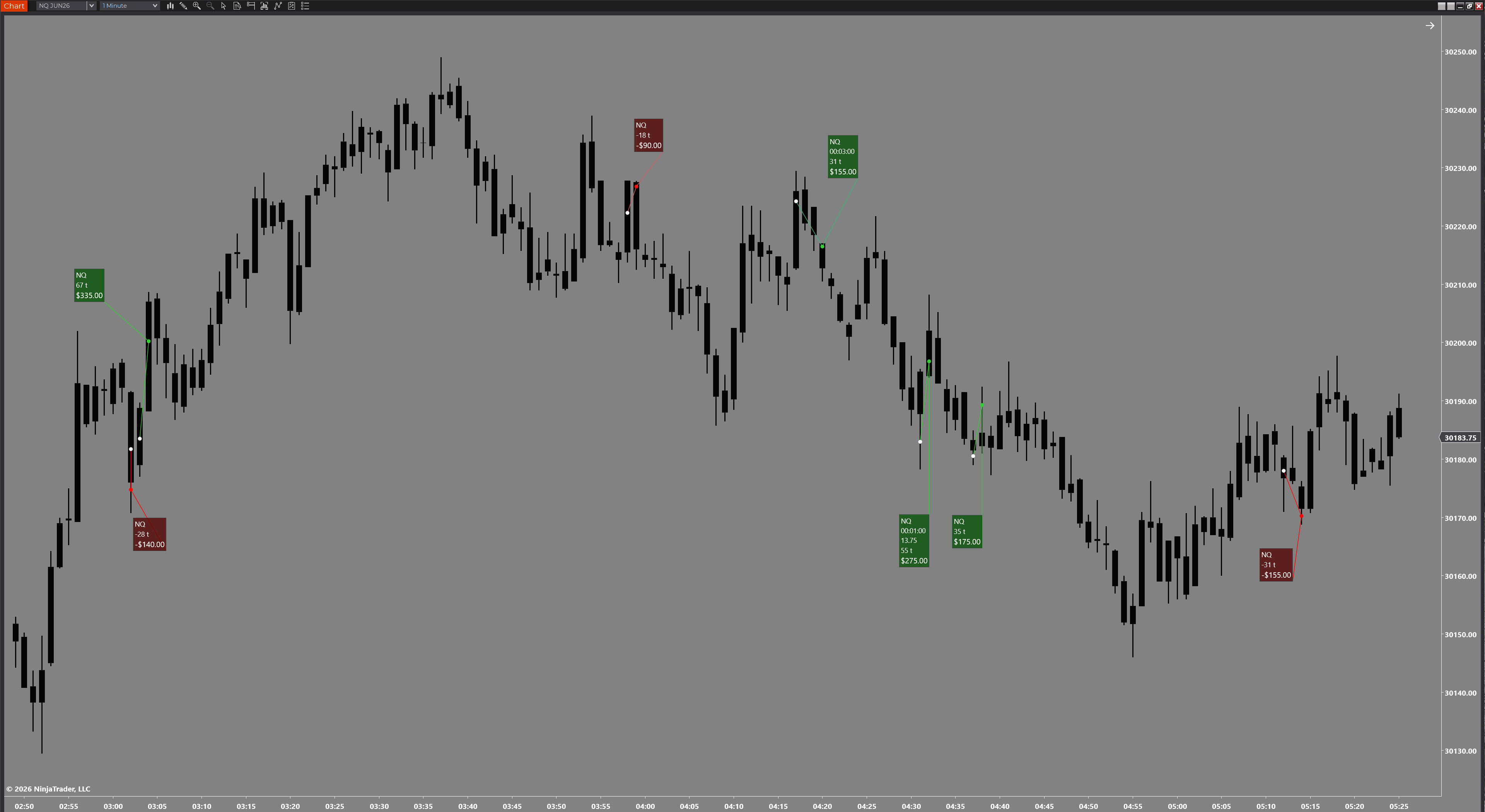
NinjaTrader 8 Drawing Tool
Mark entry and exit in seconds. Win ruler, loss ruler — one hotkey each. Get back to trading faster, miss fewer setups, and stop wrestling with price precision on fast-moving instruments.
// What it does
Built for speed. Two drawing tools, two hotkeys — one for wins, one for losses. Place your entry, place your exit, and everything you need is calculated instantly.
The problem with marking up NQ trades
Getting the exact tick price correct on a fast instrument like NQ takes time and causes frustration — two things you cannot afford between trades. The Scalpers Ruler Pro solves this with a tick override: place the ruler near the price, type in the actual tick count, and the PnL updates accordingly. Get back to the chart faster and miss fewer setups.
Two separate drawing tools — one for winning trades, one for losers. Assign a hotkey to each and switch instantly. No more opening templates or changing presets between markups.
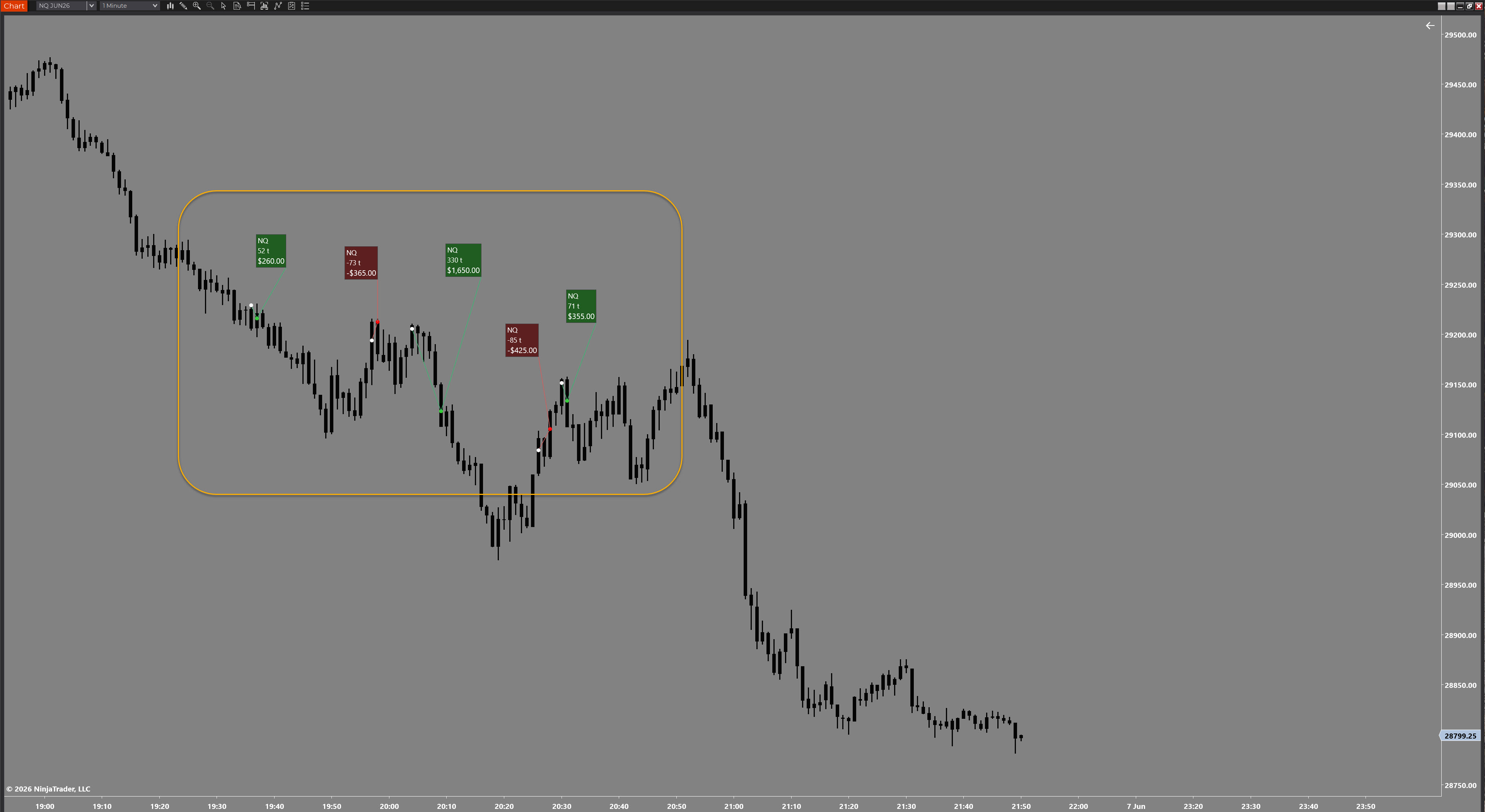
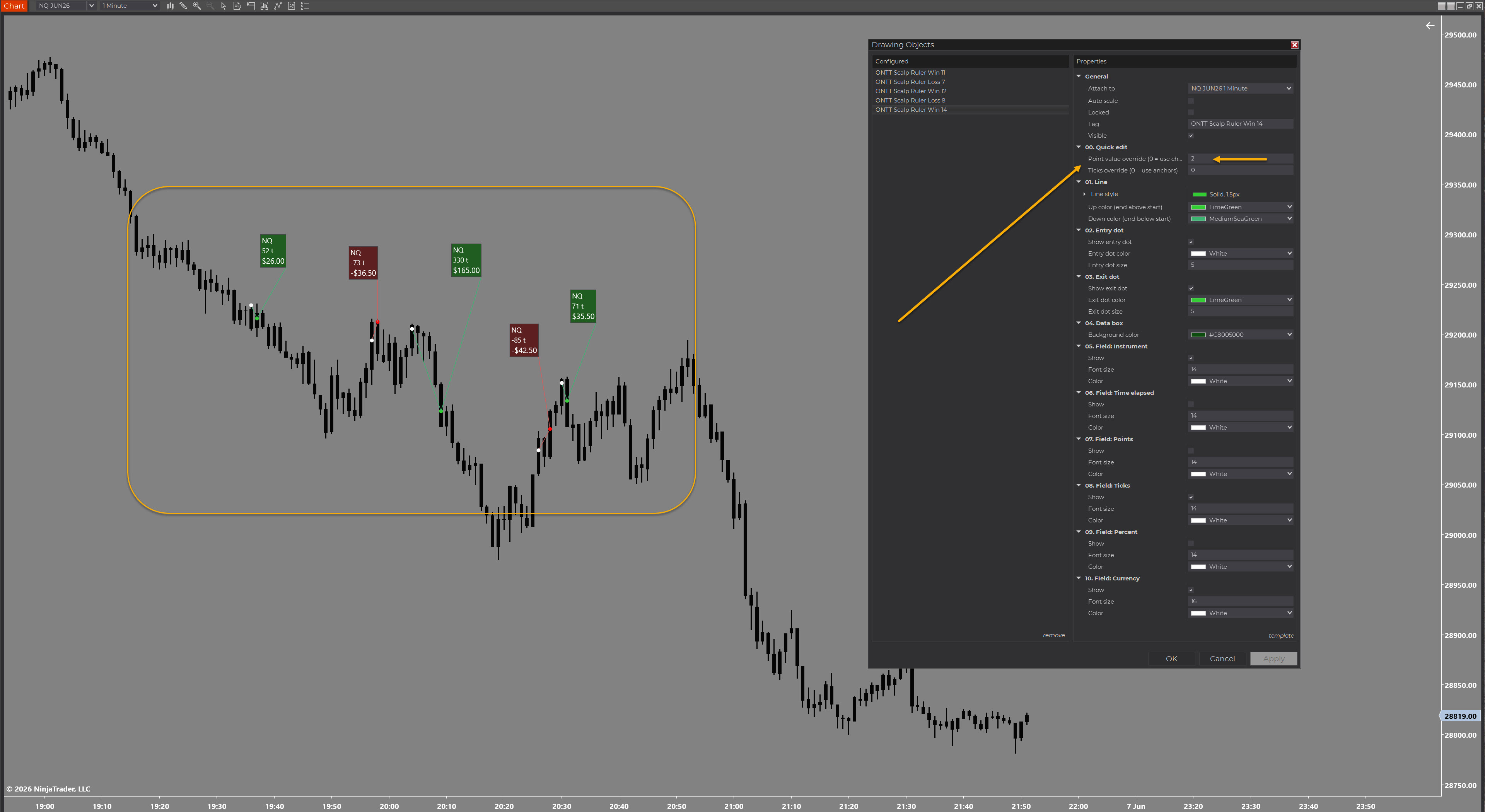
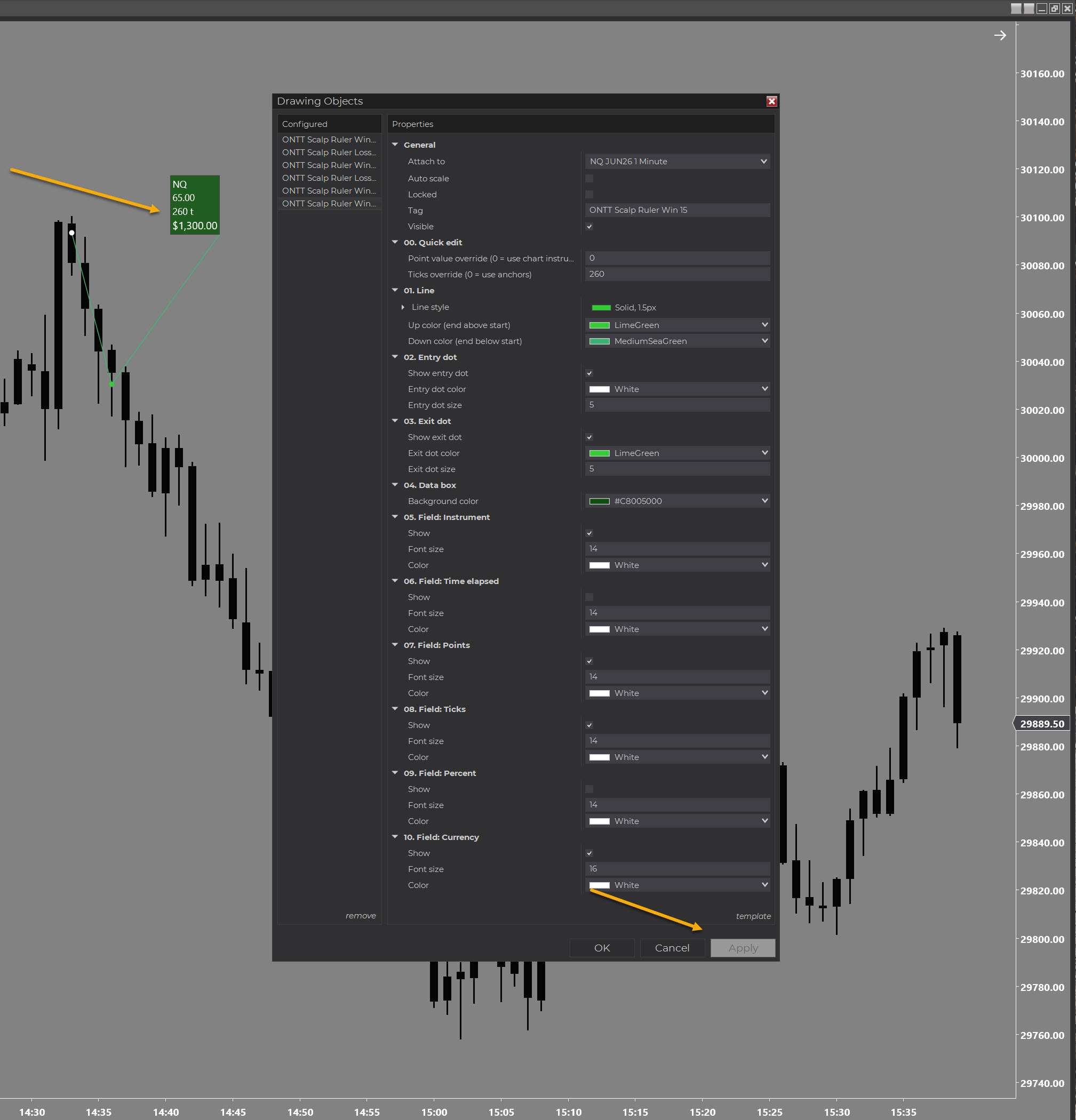
Place the ruler at an approximate price, then enter the exact tick count. The tool recalculates ticks, points, and PnL based on your override — precise results without precise placement.
Charting on the NQ mini but trading the MNQ micro? Set the point divider and your PnL figures reflect the micro contract value automatically — no mental arithmetic between instruments.
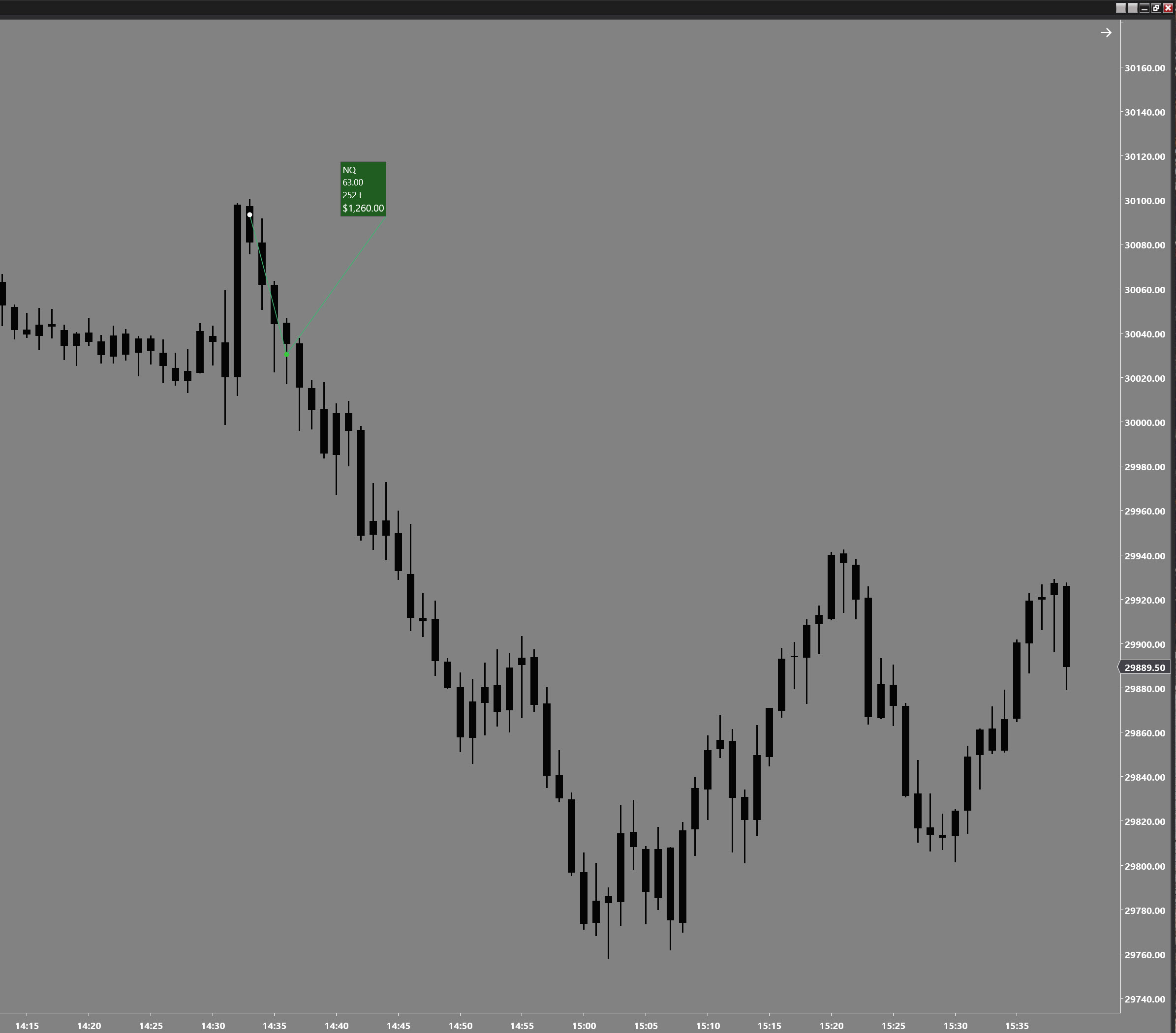
Ticks, points, and dollar PnL are calculated and displayed directly on the ruler the moment you place it. At a glance you see exactly what the trade was worth.
Only the information you need is shown. The display is clean and unobtrusive — nothing clutters your chart or gets in the way of reading price action while you are still in a trade.
Win and loss colours, line style, label content, font size, and display toggles all configurable through the standard NinjaTrader drawing tool properties panel.
// Full control
Nothing locked away. The full properties panel is shown below — every display element can be toggled, styled, or overridden independently.
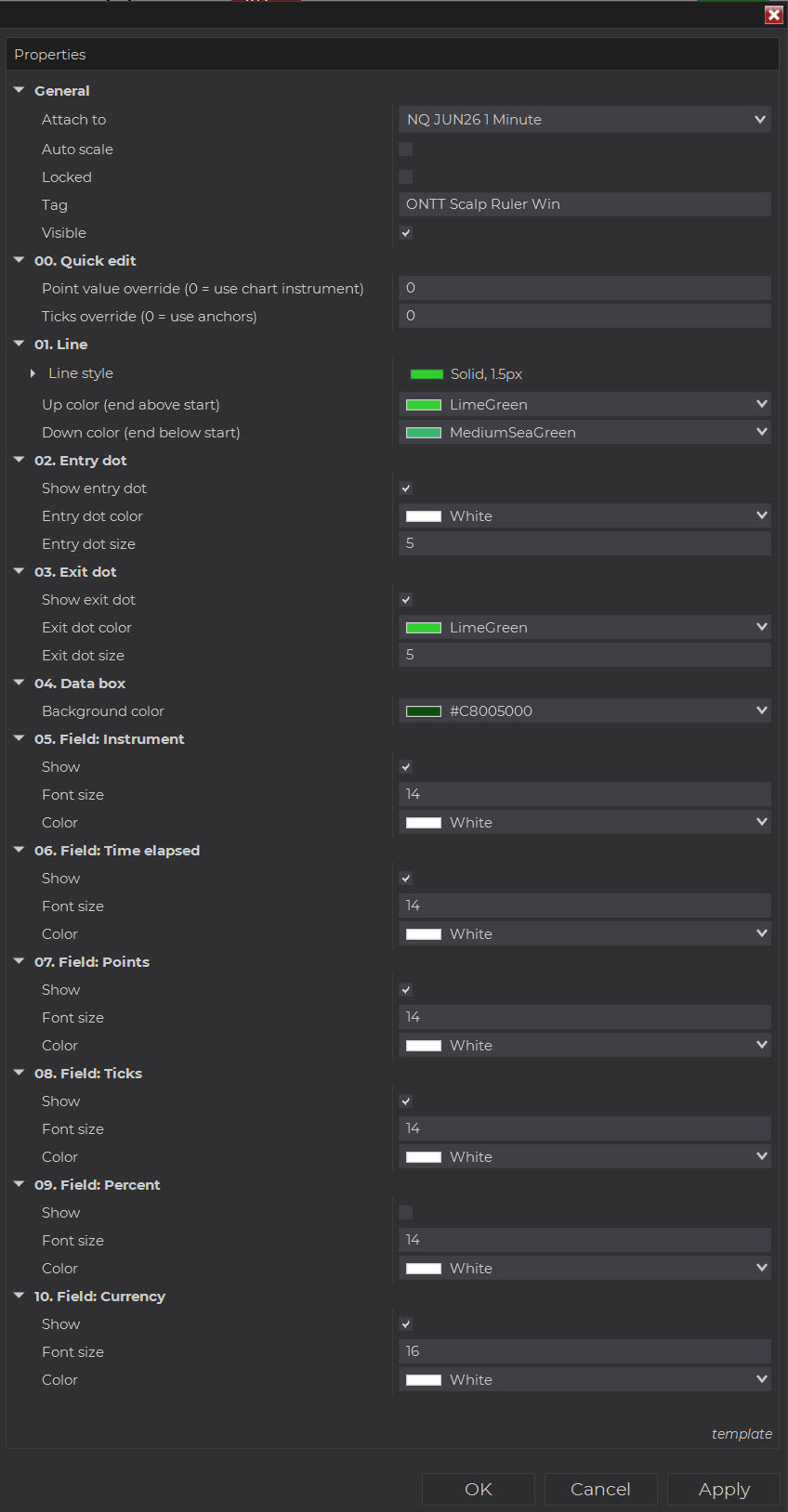
The Win and Loss rulers share the same property structure but are configured independently — giving you distinct visual identities for each outcome without any compromise on usability.
// Point override
Place the ruler near enough to the right price, then tell it the correct point value. The ruler updates its display instantly — your PnL is accurate even if your placement is not pixel-perfect.
// Tick override
When the exact entry or exit tick matters — fast fills, partial slides, or micro-to-mini discrepancies — enter the tick count directly and let the ruler do the rest.
// Setup in minutes
No complicated installation. Standard NinjaTrader drawing tool import. Assign a hotkey in the NinjaTrader options and you are ready.
Complete checkout via Stripe. Secure card processing. No account needed.
Receive the drawing tool ZIP by email immediately after payment.
In NinjaTrader: Tools → Import → NinjaScript Add-On. Select the ZIP. Done.
Assign keyboard shortcuts to the Win and Loss rulers in NinjaTrader's options panel and start marking trades instantly.
// Pricing
// Scalpers Ruler Pro
One-time payment. No subscription. No renewal.
COMING SOON
This indicator is in final preparation. Check back shortly.
Most drawing tools make you work around them. The Scalpers Ruler Pro works around you — approximate placement, exact values, and a workflow that keeps you in the market rather than in the properties panel.
Two rulers means two hotkeys. Win or loss, you are one keypress away from marking the trade and moving on. No templates, no presets, no switching.
Questions before buying? [email protected]
// Common questions